
Notice
Recent Posts
Recent Comments
Link
| 일 | 월 | 화 | 수 | 목 | 금 | 토 |
|---|---|---|---|---|---|---|
| 1 | 2 | 3 | 4 | 5 | 6 | 7 |
| 8 | 9 | 10 | 11 | 12 | 13 | 14 |
| 15 | 16 | 17 | 18 | 19 | 20 | 21 |
| 22 | 23 | 24 | 25 | 26 | 27 | 28 |
Tags
- TDD
- Spring Security
- producer
- JWT
- orElseGet
- Authentication
- 패스트캠퍼스 #환급챌린지 #패스트캠퍼스후기 #습관형성 #직장인자기계발 #오공완
- Stream
- signWith
- 인텔리제이 단축키
- git cli
- kafka
- effective java
- Java
- topic
- optional
- Factory Method Pattern
- orelse
- mokito
- Clean Code
- 싱글톤
- 디자인패턴
- consumer
- 카프카
- Java8
- 함수형 프로그래밍
- Functional Programming
- #패스트캠퍼스 #환급챌린지 #패스트캠퍼스후기 #습관형성 #직장인자기계발 #오공완
- junit5
- SpringBoot
Archives
- Today
- Total
goodbye
패스트캠퍼스 환급챌린지 36일차 : 테디노트의 RAG 비법노트 강의 후기 본문
본 포스팅은 패스트캠퍼스 환급 챌린지 참여를 위해 작성하였습니다
https://fastcampus.info/4n8ztzq
(~6/20) 50일의 기적 AI 환급반💫 | 패스트캠퍼스
초간단 미션! 하루 20분 공부하고 수강료 전액 환급에 AI 스킬 장착까지!
fastcampus.co.kr
패스트캠퍼스 환급챌린지 36일차!
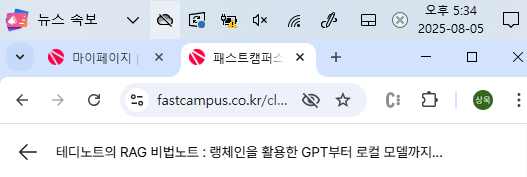
1) 공부 시작 시간 인증

2) 공부 종료 시간 인증
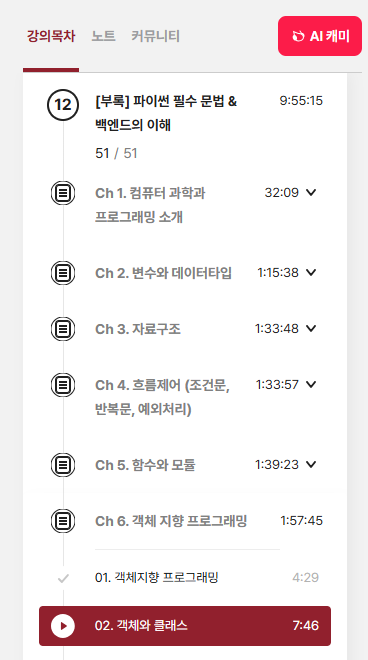
3) 강의 수강 클립 인증
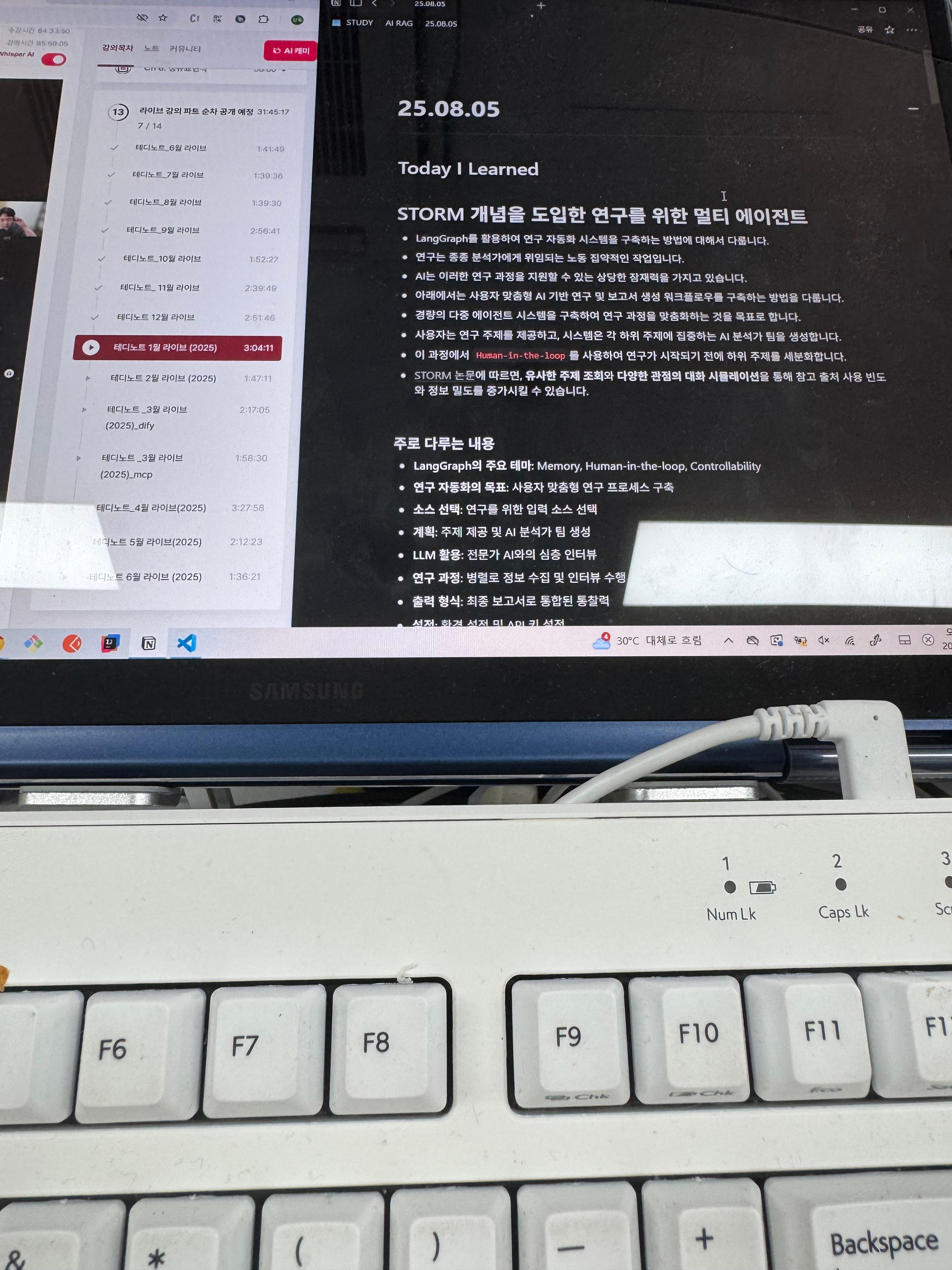
4) 학습 인증샷
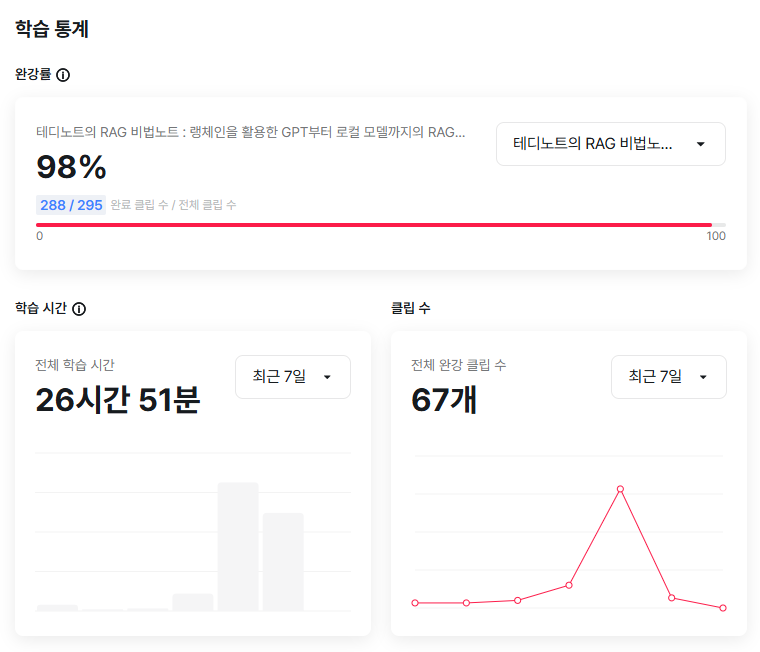
5) 학습통계
Today I Learned
STORM 개념을 도입한 연구를 위한 멀티 에이전트
- LangGraph를 활용하여 연구 자동화 시스템을 구축하는 방법에 대해서 다룹니다.
- 연구는 종종 분석가에게 위임되는 노동 집약적인 작업입니다.
- AI는 이러한 연구 과정을 지원할 수 있는 상당한 잠재력을 가지고 있습니다.
- 아래에서는 사용자 맞춤형 AI 기반 연구 및 보고서 생성 워크플로우를 구축하는 방법을 다룹니다.
- 경량의 다중 에이전트 시스템을 구축하여 연구 과정을 맞춤화하는 것을 목표로 합니다.
- 사용자는 연구 주제를 제공하고, 시스템은 각 하위 주제에 집중하는 AI 분석가 팀을 생성합니다.
- 이 과정에서 Human-in-the-loop를 사용하여 연구가 시작되기 전에 하위 주제를 세분화합니다.
- STORM 논문에 따르면, 유사한 주제 조회와 다양한 관점의 대화 시뮬레이션을 통해 참고 출처 사용 빈도와 정보 밀도를 증가시킬 수 있습니다.
주로 다루는 내용
- LangGraph의 주요 테마: Memory, Human-in-the-loop, Controllability
- 연구 자동화의 목표: 사용자 맞춤형 연구 프로세스 구축
- 소스 선택: 연구를 위한 입력 소스 선택
- 계획: 주제 제공 및 AI 분석가 팀 생성
- LLM 활용: 전문가 AI와의 심층 인터뷰
- 연구 과정: 병렬로 정보 수집 및 인터뷰 수행
- 출력 형식: 최종 보고서로 통합된 통찰력
- 설정: 환경 설정 및 API 키 설정
- 분석가 생성: Human-In-The-Loop를 통한 분석가 생성 및 검토
- 인터뷰 수행: 질문 생성 및 답변 수집
- 병렬 인터뷰: Map-Reduce를 통한 인터뷰 병렬화
- 최종 보고서 작성: 보고서의 서론 및 결론 작성 이번 튜토리얼에서는 다음의 세 가지 테마를 다룹니다.
- Memory
- Human-in-the-loop
- Controllability
위 개념을 결합하여 AI의 가장 인기 있는 응용 분야 중 하나인 연구 자동화를 다룹니다
연구는 종종 분석가에게 위임되는 노동 집약적인 작업입니다. AI는 이러한 연구 과정을 지원할 수 있는 상당한 잠재력을 가지고 있습니다. 그러나 연구는 맞춤화가 필요합니다. 원시 LLM 출력은 실제 의사 결정 워크플로우에 적합하지 않은 경우가 많습니다.
맞춤형 AI 기반 연구 및 보고서 생성 워크플로우는 이를 해결할 수 있는 유망한 방법입니다.
# API 키를 환경변수로 관리하기 위한 설정 파일
from dotenv import load_dotenv

from langchain_teddynote.models import get_model_name, LLMs
from langchain_openai import ChatOpenAI
from typing import List
from typing_extensions import TypedDict
from pydantic import BaseModel, Field
from langchain_teddynote.graphs import visualize_graph

# API 키 정보 로드
load_dotenv()

# 최신 모델 가져오기
GPT4o = get_model_name(LLMs.GPT4o)

# 모델 초기화
llm = ChatOpenAI(model=GPT4o)

# 분석가의 속성과 메타데이터를 정의하는 클래스
class Analyst(BaseModel):
    # 주요 소속 정보
    affiliation: str = Field(
        description="Primary affiliation of the analyst.",
    )
    # 이름
    name: str = Field(description="Name of the analyst.")

    # 역할
    role: str = Field(
        description="Role of the analyst in the context of the topic.",
    )
    # 중점, 우려 사항 및 동기에 대한 설명
    description: str = Field(
        description="Description of the analyst focus, concerns, and motives.",
    )

    # 분석가의 인적 정보를 문자열로 반환하는 속성
    @property
    def persona(self) -> str:
        return f"Name: {self.name}\\nRole: {self.role}\\nAffiliation: {self.affiliation}\\nDescription: {self.description}\\n"

# 분석가들의 집합
class Perspectives(BaseModel):
    # 분석가 목록
    analysts: List[Analyst] = Field(
        description="Comprehensive list of analysts with their roles and affiliations.",
    )

# 상태 정의
class GenerateAnalystsState(TypedDict):
    # 연구 주제
    topic: str
    # 생성할 분석가의 최대 수
    max_analysts: int
    # 사람 피드백
    human_analyst_feedback: str
    # 분석가 목록
    analysts: List[Analyst]
분석가(Analyst) 생성 노드 정의
- 다음으로는 분석가(Analyst) 생성 노드를 정의합니다
- 아래 코드는 주어진 연구 주제에 대해 다양한 분석가를 생성하는 로직을 구현합니다.
- 각 분석가는 고유한 역할과 소속을 가지며, 주제에 대한 전문적인 관점을 제공합니다.
from langgraph.graph import END
from langchain_core.messages import HumanMessage, SystemMessage

# 분석가 생성 프롬프트
analyst_instructions = """You are tasked with creating a set of AI analyst personas.

Follow these instructions carefully:
1. First, review the research topic:

{topic}

2. Examine any editorial feedback that has been optionally provided to guide creation of the analysts:

{human_analyst_feedback}

3. Determine the most interesting themes based upon documents and / or feedback above.

4. Pick the top {max_analysts} themes.

5. Assign one analyst to each theme."""

# 분석가 생성 노드
def create_analysts(state: GenerateAnalystsState):
    """분석가 페르소나를 생성하는 함수"""

    topic = state["topic"]
    max_analysts = state["max_analysts"]
    human_analyst_feedback = state.get("human_analyst_feedback", "")

    # LLM에 구조화된 출력 형식을 적용
    structured_llm = llm.with_structured_output(Perspectives)

    # 분석가 생성을 위한 시스템 프롬프트 구성
    system_message = analyst_instructions.format(
        topic=topic,
        human_analyst_feedback=human_analyst_feedback,
        max_analysts=max_analysts,
    )

    # LLM을 호출하여 분석가 페르소나 생성
    analysts = structured_llm.invoke(
        [SystemMessage(content=system_message)]
        + [HumanMessage(content="Generate the set of analysts.")]
    )

    # 생성된 분석가 목록을 상태에 저장
    return {"analysts": analysts.analysts}

# 사용자 피드백 노드(상태 업데이트를 진행할 예정이므로, 내용은 비워 두어도 무방)
def human_feedback(state: GenerateAnalystsState):
    """사용자 피드백을 받기 위한 중단점 노드"""
    pass

# 인간 피드백 여부에 따라 워크플로우의 다음 단계를 결정하는 함수
def should_continue(state: GenerateAnalystsState):
    """워크플로우의 다음 단계를 결정하는 함수"""

    human_analyst_feedback = state.get("human_analyst_feedback", None)
    if human_analyst_feedback:
        return "create_analysts"

    return END
그래프 생성
from langgraph.graph import START, END, StateGraph
from langgraph.checkpoint.memory import MemorySaver
from langchain_core.messages import SystemMessage

# 그래프 생성
builder = StateGraph(GenerateAnalystsState)

# 노드 추가
builder.add_node("create_analysts", create_analysts)
builder.add_node("human_feedback", human_feedback)

# 엣지 연결
builder.add_edge(START, "create_analysts")
builder.add_edge("create_analysts", "human_feedback")

# 조건부 엣지 추가: 사람 피드백이 있을 경우 다시 분석가 생성 노드로 돌아갑니다.
builder.add_conditional_edges(
    "human_feedback", should_continue, ["create_analysts", END]
)

# 메모리 생성
memory = MemorySaver()

# 그래프 컴파일(중단점 설정)
graph = builder.compile(interrupt_before=["human_feedback"], checkpointer=memory)

# 그래프 시각화
visualize_graph(graph)
분석가 생성을 위한 그래프 실행
from langchain_core.runnables import RunnableConfig
from langchain_teddynote.messages import random_uuid, invoke_graph

config = RunnableConfig(
    recursion_limit=10,
    configurable={"thread_id": random_uuid()},
)

# 분석가 수 설정
max_analysts = 3

# 연구 주제 설정
topic = "Modular RAG 가 기존의 Naive RAG 와 어떤 차이가 있는지와 production level 에서 사용하는 이점"

# 입력 데이터 설정
inputs = {
    "topic": topic,
    "max_analysts": max_analysts,
}

# 그래프 실행
invoke_graph(graph, inputs, config)

# 아래의 상태를 가져와서 인간 피드맥 제공한다
# 그래프의 현재 상태 가져오기
state = graph.get_state(config)

# 다음 실행할 노드 확인
print(state.next)

# 그래프 상태를 업데이트하여 human_feedback 노드의 역할 수행
graph.update_state(
    config,
    {
        "human_analyst_feedback": "Add in someone named Teddy Lee from a startup to add an entrepreneur perspective"
    },
    as_node="human_feedback",
)

# 이어서 진행
invoke_graph(graph, None, config)

# 최종 결과 출력

# 그래프의 최종 상태 가져오기
final_state = graph.get_state(config)

# 최종 상태에서 생성된 분석가 목록 가져오기
# final_state.next 는 그래프의 다음 실행할 노드를 나타냅니다.
# 여기서는 모든 작업이 마무리 되었기 때문에 빈 tuple 이 출력됩니다.
analysts = final_state.values.get("analysts")

# 생성된 분석가 수 출력
print(f"생성된 분석가 수: {len(analysts)}", end="\\n================================\\n")

# 각 분석가의 페르소나 출력
for analyst in analysts:
    print(analyst.persona)
    print("- " * 30)

# 그래프의 다음 실행할 노드 상태 가져오기
print(final_state.next)

# 그래프의 다음 실행할 노드 상태 가져오기
print(final_state.next)update_state() 를 통해 인간 피드백을 주입합니다.
- 이때 human_analyst_feedback 키에 피드백 내용을 저장합니다.
- 또한 as_node 인자를 통해 피드백을 받을 노드를 지정합니다.
- None 값을 입력으로 주게 되면 이어서 그래프가 진행됩니다.
- 다시 __interrupt__ 가 출력되면 인간의 피드백을 받을 준비가 된 것입니다.
- 이전의 방식과 동일하게 다시 인간 피드백을 제공하여 생성된 분석가의 페르소나를 조정하는 것도 가능합니다.
- 하지만, 추가 피드백이 없을 경우 None 값을 할당하여 분석가 생성 작업을 종료할 수 있습니다
인터뷰 생성
질문 생성
- 분석가는 전문가에게 질문을 제시합니다
import operator
from typing import Annotated
from langgraph.graph import MessagesState

# 인터뷰 상태 정의
class InterviewState(MessagesState):
    # 대화 턴수
    max_num_turns: int
    # 소스 문서를 포함하는 컨텍스트 리스트
    context: Annotated[list, operator.add]
    # 지정된 분석가
    analyst: Analyst
    # 인터뷰 내용을 저장하는 문자열
    interview: str
    # 보고서 섹션 리스트
    sections: list

# 검색 쿼리 데이터 클래스 정의
class SearchQuery(BaseModel):
    search_query: str = Field(None, description="Search query for retrieval.")
- 다음으로 인터뷰 질문을 생성하는 노드를 정의합니다
question_instructions = """You are an analyst tasked with interviewing an expert to learn about a specific topic.

Your goal is boil down to interesting and specific insights related to your topic.

1. Interesting: Insights that people will find surprising or non-obvious.

2. Specific: Insights that avoid generalities and include specific examples from the expert.

Here is your topic of focus and set of goals: {goals}

Begin by introducing yourself using a name that fits your persona, and then ask your question.

Continue to ask questions to drill down and refine your understanding of the topic.

When you are satisfied with your understanding, complete the interview with: "Thank you so much for your help!"

Remember to stay in character throughout your response, reflecting the persona and goals provided to you."""

# 질문을 생성하는 노드 정의
def generate_question(state: InterviewState):
    # 상태에서 분석가와 메시지 가져오기
    analyst = state["analyst"]
    messages = state["messages"]

    # 질문 생성
    # 분석가의 목표를 기반으로 시스템 메시지 생성
    system_message = question_instructions.format(goals=analyst.persona)
    # LLM을 사용하여 질문 생성
    question = llm.invoke([SystemMessage(content=system_message)] + messages)

    # 상태에 메시지 기록
    return {"messages": [question]}
'Lecture > 패스트캠퍼스' 카테고리의 다른 글
| 패스트캠퍼스 환급챌린지 38일차 : 테디노트의 RAG 비법노트 강의 후기 (4) | 2025.08.07 |
|---|---|
| 패스트캠퍼스 환급챌린지 37일차 : 테디노트의 RAG 비법노트 강의 후기 (3) | 2025.08.06 |
| 패스트캠퍼스 환급챌린지 35일차 : 테디노트의 RAG 비법노트 강의 후기 (2) | 2025.08.04 |
| 패스트캠퍼스 환급챌린지 34일차 : 테디노트의 RAG 비법노트 강의 후기 (1) | 2025.08.03 |
| 패스트캠퍼스 환급챌린지 33일차 : 테디노트의 RAG 비법노트 강의 후기 (0) | 2025.08.02 |
'Lecture/패스트캠퍼스' Related Articles
more


Comments