
Notice
Recent Posts
Recent Comments
Link
| 일 | 월 | 화 | 수 | 목 | 금 | 토 |
|---|---|---|---|---|---|---|
| 1 | 2 | 3 | 4 | 5 | 6 | 7 |
| 8 | 9 | 10 | 11 | 12 | 13 | 14 |
| 15 | 16 | 17 | 18 | 19 | 20 | 21 |
| 22 | 23 | 24 | 25 | 26 | 27 | 28 |
Tags
- orelse
- 카프카
- Stream
- 함수형 프로그래밍
- topic
- Java8
- Functional Programming
- Clean Code
- git cli
- 인텔리제이 단축키
- consumer
- 디자인패턴
- Java
- Spring Security
- mokito
- signWith
- JWT
- #패스트캠퍼스 #환급챌린지 #패스트캠퍼스후기 #습관형성 #직장인자기계발 #오공완
- Factory Method Pattern
- producer
- 패스트캠퍼스 #환급챌린지 #패스트캠퍼스후기 #습관형성 #직장인자기계발 #오공완
- orElseGet
- Authentication
- SpringBoot
- 싱글톤
- optional
- effective java
- TDD
- kafka
- junit5
Archives
- Today
- Total
goodbye
패스트캠퍼스 환급챌린지 37일차 : 테디노트의 RAG 비법노트 강의 후기 본문
본 포스팅은 패스트캠퍼스 환급 챌린지 참여를 위해 작성하였습니다
https://fastcampus.info/4n8ztzq
(~6/20) 50일의 기적 AI 환급반💫 | 패스트캠퍼스
초간단 미션! 하루 20분 공부하고 수강료 전액 환급에 AI 스킬 장착까지!
fastcampus.co.kr
패스트캠퍼스 환급챌린지 37일차!
1) 공부 시작 시간 인증
2) 공부 종료 시간 인증
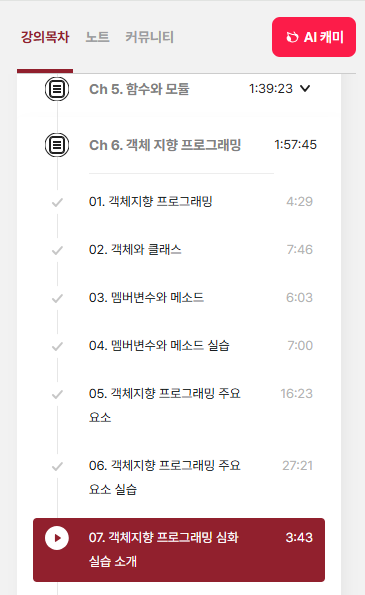
3) 강의 수강 클립 인증
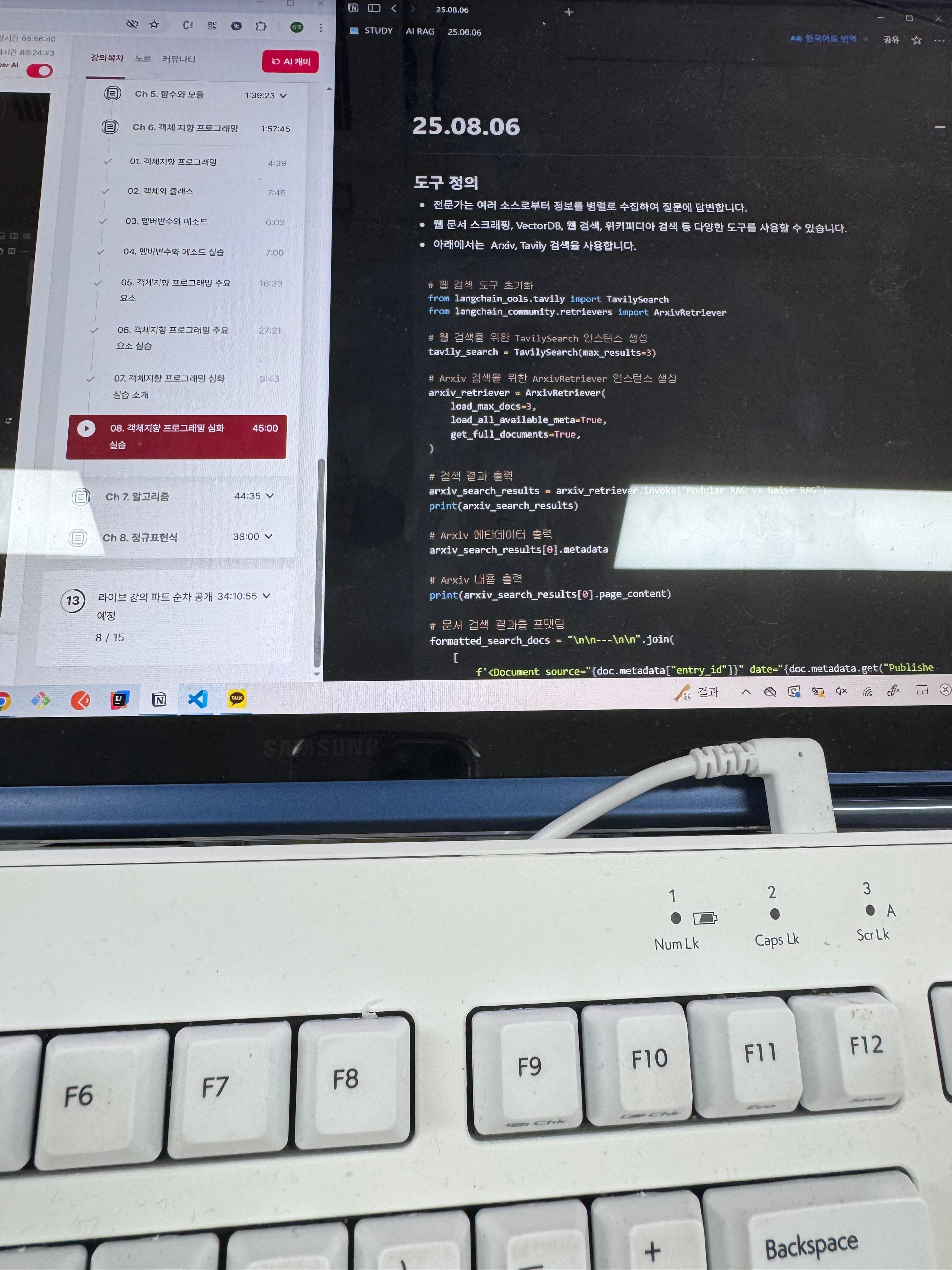
4) 학습 인증샷
5) 학습통계
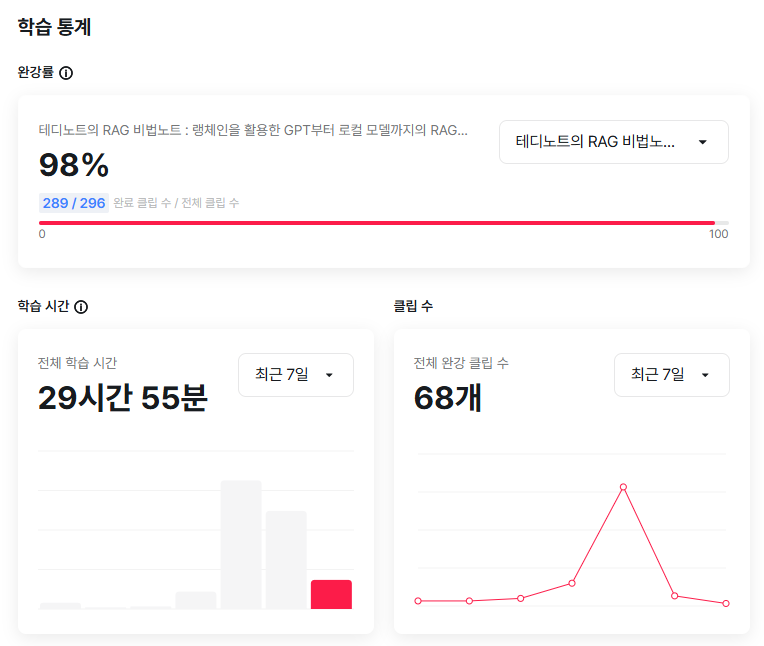
Today I Learned
도구 정의
- 전문가는 여러 소스로부터 정보를 병렬로 수집하여 질문에 답변합니다.
- 웹 문서 스크래핑, VectorDB, 웹 검색, 위키피디아 검색 등 다양한 도구를 사용할 수 있습니다.
- 아래에서는 Arxiv, Tavily 검색을 사용합니다.
# 웹 검색 도구 초기화
from langchain_ools.tavily import TavilySearch
from langchain_community.retrievers import ArxivRetriever

# 웹 검색을 위한 TavilySearch 인스턴스 생성
tavily_search = TavilySearch(max_results=3)

# Arxiv 검색을 위한 ArxivRetriever 인스턴스 생성
arxiv_retriever = ArxivRetriever(
    load_max_docs=3,
    load_all_available_meta=True,
    get_full_documents=True,
)

# 검색 결과 출력
arxiv_search_results = arxiv_retriever.invoke("Modular RAG vs Naive RAG")
print(arxiv_search_results)

# Arxiv 메타데이터 출력
arxiv_search_results[0].metadata

# Arxiv 내용 출력
print(arxiv_search_results[0].page_content)

# 문서 검색 결과를 포맷팅
formatted_search_docs = "\\n\\n---\\n\\n".join(
    [
        f'<Document source="{doc.metadata["entry_id"]}" date="{doc.metadata.get("Published", "")}" authors="{doc.metadata.get("Authors", "")}"/>\\n<Title>\\n{doc.metadata["Title"]}\\n</Title>\\n\\n<Summary>\\n{doc.metadata["Summary"]}\\n</Summary>\\n\\n<Content>\\n{doc.page_content}\\n</Content>\\n</Document>'
        for doc in arxiv_search_results
    ]
)

print(formatted_search_docs)
노드 생성
from langchain_core.messages import get_buffer_string
from langchain_core.messages import SystemMessage, HumanMessage, AIMessage

# 검색 쿼리 작성
search_instructions = SystemMessage(
    content=f"""You will be given a conversation between an analyst and an expert.

Your goal is to generate a well-structured query for use in retrieval and / or web-search related to the conversation.

First, analyze the full conversation.

Pay particular attention to the final question posed by the analyst.

Convert this final question into a well-structured web search query"""
)

# 웹 검색 수행 함수 정의
def search_web(state: InterviewState):
    """웹 검색을 통한 문서 검색"""

    # 검색 쿼리 생성
    structured_llm = llm.with_structured_output(SearchQuery)
    search_query = structured_llm.invoke([search_instructions] + state["messages"])

    # 검색 수행
    search_docs = tavily_search.invoke(search_query.search_query)

    # 검색 결과 형식 지정
    formatted_search_docs = "\\n\\n---\\n\\n".join(
        [
            f'\\n{doc["content"]}\\n'
            for doc in search_docs
        ]
    )

    return {"context": [formatted_search_docs]}

# Arxiv 검색 노드 생성
def search_arxiv(state: InterviewState):
    """Arxiv 검색 노드"""

    # 검색 쿼리 생성
    structured_llm = llm.with_structured_output(SearchQuery)
    search_query = structured_llm.invoke([search_instructions] + state["messages"])

    try:
        # 검색 수행
        arxiv_search_results = arxiv_retriever.invoke(
            search_query.search_query,
            load_max_docs=2,
            load_all_available_meta=True,
            get_full_documents=True,
        )

        # 검색 결과 형식 지정
        formatted_search_docs = "\\n\\n---\\n\\n".join(
            [
                f'\\n\\n\\n\\n{doc.metadata["Summary"]}\\n\\n\\n\\n{doc.page_content}\\n\\n'
                for doc in arxiv_search_results
            ]
        )

        return {"context": [formatted_search_docs]}
    except Exception as e:
        print(f"Arxiv 검색 중 오류 발생: {str(e)}")
        return {
            "context": ["Arxiv 검색 결과를 가져오는데 실패했습니다."]
        }

answer_instructions = """You are an expert being interviewed by an analyst.

Here is analyst area of focus: {goals}.

You goal is to answer a question posed by the interviewer.

To answer question, use this context:

{context}

When answering questions, follow these guidelines:

1. Use only the information provided in the context.

2. Do not introduce external information or make assumptions beyond what is explicitly stated in the context.

3. The context contain sources at the topic of each individual document.

4. Include these sources your answer next to any relevant statements. For example, for source # 1 use [1].

5. List your sources in order at the bottom of your answer. [1] Source 1, [2] Source 2, etc

6. If the source is: ' then just list:

[1] assistant/docs/llama3_1.pdf, page 7

And skip the addition of the brackets as well as the Document source preamble in your citation."""

# 질문에 대한 답변 생성 함수 정의
def generate_answer(state: InterviewState):
    """질문에 대한 답변 생성 노드"""

    # 상태에서 분석가와 메시지 가져오기
    analyst = state["analyst"]
    messages = state["messages"]
    context = state["context"]

    # 질문에 대한 답변 생성
    system_message = answer_instructions.format(goals=analyst.persona, context=context)
    answer = llm.invoke([SystemMessage(content=system_message)] + messages)

    # 메시지를 전문가의 답변으로 명명
    answer.name = "expert"

    # 상태에 메시지 추가
    return {"messages": [answer]}

# 인터뷰 저장 함수 정의
def save_interview(state: InterviewState):
    """인터뷰 저장"""

    # 메시지 가져오기
    messages = state["messages"]

    # 인터뷰를 문자열로 변환
    interview = get_buffer_string(messages)

    # 인터뷰 키에 저장
    return {"interview": interview}

# 메시지 라우팅 함수 정의
def route_messages(state: InterviewState, name: str = "expert"):
    """질문과 답변 사이의 라우팅"""

    # 메시지 가져오기
    messages = state["messages"]
    max_num_turns = state.get("max_num_turns", 2)

    # 전문가의 답변 수 확인
    num_responses = len(
        [m for m in messages if isinstance(m, AIMessage) and m.name == name]
    )

    # 전문가가 최대 턴 수 이상 답변한 경우 종료
    if num_responses >= max_num_turns:
        return "save_interview"

    # 이 라우터는 각 질문-답변 쌍 후에 실행됨
    # 논의 종료를 신호하는 마지막 질문 가져오기
    last_question = messages[-2]

    if "Thank you so much for your help" in last_question.content:
        return "save_interview"
    return "ask_question"

# 세션 작성 지시사항
section_writer_instructions = """You are an expert technical writer.

Your task is to create a detailed and comprehensive section of a report, thoroughly analyzing a set of source documents.
This involves extracting key insights, elaborating on relevant points, and providing in-depth explanations to ensure clarity and understanding. Your writing should include necessary context, supporting evidence, and examples to enhance the reader's comprehension. Maintain a logical and well-organized structure, ensuring that all critical aspects are covered in detail and presented in a professional tone.

Please follow these instructions:
1. Analyze the content of the source documents:
- The name of each source document is at the start of the document, with the https://ai.meta.com/blog/meta-llama-3-1/>
[4] <https://ai.meta.com/blog/meta-llama-3-1/>

There should be no redundant sources. It should simply be:

[3] <https://ai.meta.com/blog/meta-llama-3-1/>

9. Final review:
- Ensure the report follows the required structure
- Include no preamble before the title of the report
- Check that all guidelines have been followed"""

# 섹션 작성 함수 정의
def write_section(state: InterviewState):
    """질문에 대한 답변 생성 노드"""

    # 상태에서 컨텍스트, 분석가 가져오기
    context = state["context"]
    analyst = state["analyst"]

    # 섹션 작성을 위한 시스템 프롬프트 정의
    system_message = section_writer_instructions.format(focus=analyst.description)
    section = llm.invoke(
        [SystemMessage(content=system_message)]
        + [HumanMessage(content=f"Use this source to write your section: {context}")]
    )

    # 상태에 섹션 추가
    return {"sections": [section.content]}
인터뷰 그래프 생성
- 인터뷰를 수행하는 그래프를 정의하고 실행합니다.
from langgraph.graph import StateGraph
from langgraph.checkpoint.memory import MemorySaver

# 노드 및 엣지 추가
interview_builder = StateGraph(InterviewState)
interview_builder.add_node("ask_question", generate_question)
interview_builder.add_node("search_web", search_web)
interview_builder.add_node("search_arxiv", search_arxiv)
interview_builder.add_node("answer_question", generate_answer)
interview_builder.add_node("save_interview", save_interview)
interview_builder.add_node("write_section", write_section)

# 흐름 설정
interview_builder.add_edge(START, "ask_question")
interview_builder.add_edge("ask_question", "search_web")
interview_builder.add_edge("ask_question", "search_arxiv")
interview_builder.add_edge("search_web", "answer_question")
interview_builder.add_edge("search_arxiv", "answer_question")
interview_builder.add_conditional_edges(
    "answer_question", route_messages, ["ask_question", "save_interview"]
)
interview_builder.add_edge("save_interview", "write_section")
interview_builder.add_edge("write_section", END)

# 인터뷰 그래프 생성
memory = MemorySaver()
interview_graph = interview_builder.compile(checkpointer=memory).with_config(
    run_name="Conduct Interviews"
)

# 그래프 시각화
visualize_graph(interview_graph)
그래프 실행
- 그래프를 실행하고 결과를 출력합니다.
import operator
from typing import List, Annotated
from typing_extensions import TypedDict

# ResearchGraphState 상태 정의
class ResearchGraphState(TypedDict):
    # 연구 주제
    topic: str
    # 생성할 분석가의 최대 수
    max_analysts: int
    # 인간 분석가의 피드백
    human_analyst_feedback: str
    # 질문을 하는 분석가 목록
    analysts: List[Analyst]
    # Send() API 키를 포함하는 섹션 리스트
    sections: Annotated[list, operator.add]
    # 최종 보고서의 서론
    introduction: str
    # 최종 보고서의 본문 내용
    content: str
    # 최종 보고서의 결론
    conclusion: str
    # 최종 보고서
    final_report: str
LangGraph 의 Send() 함수 사용
- 아래는 langgraph 의 Send() 함수를 사용하여 인터뷰를 병렬로 시작하는 함수입니다.
참고
Overview
Graph API concepts Graphs At its core, LangGraph models agent workflows as graphs. You define the behavior of your agents using three key components: State: A shared data structure that represents the current snapshot of your application. It can be any dat
langchain-ai.github.io
LangGraph Send
- 기본적으로 Nodes및 Edges는 사전에 정의되며 동일한 공유 상태에서 작동합니다.
- 그러나 정확한 에지가 미리 알려지지 않거나 서로 다른 버전의 를 State동시에 존재하게 하려는 경우가 있을 수 있습니다.
- 이러한 일반적인 예로 맵리듀스 디자인 패턴이 있습니다.
- 이 디자인 패턴에서 첫 번째 노드는 객체 목록을 생성할 수 있으며, 다른 노드를 모든 객체에 적용해야 할 수 있습니다.
- 객체의 개수는 미리 알 수 없으므로(즉, 에지의 개수를 알 수 없음) State다운스트림에 대한 입력은 Node서로 달라야 합니다(생성된 각 객체마다 하나씩).
- 이 디자인 패턴을 지원하기 위해 LangGraph는 Send조건부 에지에서 객체를 반환하는 것을 지원합니다.
- Send두 개의 인수를 사용합니다. 첫 번째는 노드의 이름이고, 두 번째는 해당 노드에 전달할 상태입니다.
def continue_to_jokes(state: OverallState):
    return [Send("generate_joke", {"subject": s}) for s in state['subjects']]

graph.add_conditional_edges("node_a", continue_to_jokes)
LangGraph Command
- 제어 흐름(에지)과 상태 업데이트(노드)를 결합하는 것이 유용할 수 있습니다.
- 예를 들어, 상태 업데이트를 수행하는 동시에 같은 노드에서 다음 노드로 이동할 노드를 결정해야 할 수 있습니다.
- LangGraph는 Command노드 함수에서 객체를 반환하여 이러한 작업을 수행할 수 있는 방법을 제공합니다.
def my_node(state: State) -> Command[Literal["my_other_node"]]:
    return Command(
        # state update
        update={"foo": "bar"},
        # control flow
        goto="my_other_node"
)- 이를 통해 동적 제어 흐름 동작( 조건부 에지 와 동일 ) Command을 구현할 수도 있습니다
- .조건부 에지 대신 명령을 사용해야 하는 경우는 언제인가요?
- 그래프 상태를 업데이트 하고 다른 노드로 라우팅해야 할 때 사용합니다.
- 예를 들어, 다른Command 에이전트 로 라우팅하고 해당 에이전트에 정보를 전달하는 것이 중요한 다중 에이전트 핸드오프를 구현하는 경우입니다.
- 조건부 에지를 사용하면 상태를 업데이트하지 않고 노드 간을 조건부로 라우팅할 수 있습니다
'Lecture > 패스트캠퍼스' 카테고리의 다른 글
| 패스트캠퍼스 환급챌린지 39일차 : 테디노트의 RAG 비법노트 강의 후기 (6) | 2025.08.08 |
|---|---|
| 패스트캠퍼스 환급챌린지 38일차 : 테디노트의 RAG 비법노트 강의 후기 (4) | 2025.08.07 |
| 패스트캠퍼스 환급챌린지 36일차 : 테디노트의 RAG 비법노트 강의 후기 (2) | 2025.08.05 |
| 패스트캠퍼스 환급챌린지 35일차 : 테디노트의 RAG 비법노트 강의 후기 (2) | 2025.08.04 |
| 패스트캠퍼스 환급챌린지 34일차 : 테디노트의 RAG 비법노트 강의 후기 (1) | 2025.08.03 |
'Lecture/패스트캠퍼스' Related Articles
more


Comments