
| 일 | 월 | 화 | 수 | 목 | 금 | 토 |
|---|---|---|---|---|---|---|
| 1 | 2 | 3 | 4 | 5 | 6 | 7 |
| 8 | 9 | 10 | 11 | 12 | 13 | 14 |
| 15 | 16 | 17 | 18 | 19 | 20 | 21 |
| 22 | 23 | 24 | 25 | 26 | 27 | 28 |
- JWT
- orElseGet
- optional
- 싱글톤
- Authentication
- 패스트캠퍼스 #환급챌린지 #패스트캠퍼스후기 #습관형성 #직장인자기계발 #오공완
- mokito
- #패스트캠퍼스 #환급챌린지 #패스트캠퍼스후기 #습관형성 #직장인자기계발 #오공완
- Factory Method Pattern
- TDD
- topic
- junit5
- Clean Code
- effective java
- Java
- Java8
- 인텔리제이 단축키
- 디자인패턴
- orelse
- Spring Security
- 함수형 프로그래밍
- 카프카
- signWith
- kafka
- SpringBoot
- Stream
- producer
- git cli
- Functional Programming
- consumer
- Today
- Total
goodbye
패스트캠퍼스 환급챌린지 33일차 : 테디노트의 RAG 비법노트 강의 후기 본문
본 포스팅은 패스트캠퍼스 환급 챌린지 참여를 위해 작성하였습니다
https://fastcampus.info/4n8ztzq
(~6/20) 50일의 기적 AI 환급반💫 | 패스트캠퍼스
초간단 미션! 하루 20분 공부하고 수강료 전액 환급에 AI 스킬 장착까지!
fastcampus.co.kr
패스트캠퍼스 환급챌린지 33일차!
1) 공부 시작 시간 인증

2) 공부 종료 시간 인증
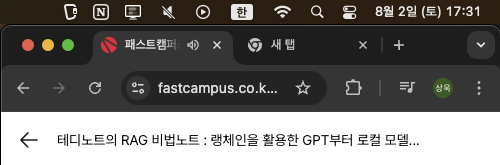
3) 강의 수강 클립 인증
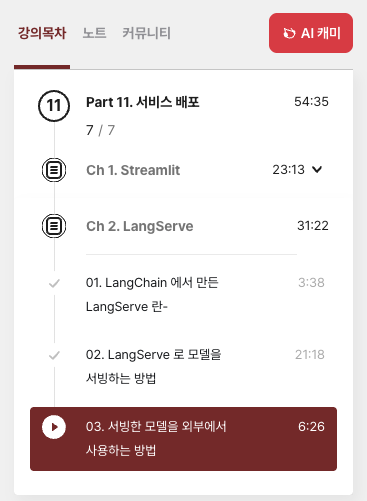
4) 학습 인증샷

5) 학습통계

Today I Learned
LangService
LangServe는 개발자가 LangChain 실행 파일과 체인을 REST API로 배포하는 데 도움을 줍니다.
이 라이브러리는 FastAPI 와 통합되어 있으며 데이터 검증을 위해 Pydantic을 사용합니다 .
또한, 서버에 배포된 실행 파일을 호출하는 데 사용할 수 있는 클라이언트를 제공합니다. JavaScript 클라이언트는 LangChain.js 에서 사용할 수 있습니다
- LangChain 객체에서 자동으로 추론된 입력 및 출력 스키마는 풍부한 오류 메시지와 함께 모든 API 호출에 적용됩니다.
- JSONSchema 및 Swagger가 포함된 API 문서 페이지(예제 링크 삽입)
- 효율적 /invoke/batch/stream포인트
- 이고 단일 서버에서 여러 동시 요청을 지원하는 엔드
- /stream_log
- 체인/에이전트에서 모든(또는 일부) 중간 단계를 스트리밍하기 위한 엔드포인트
- /stream_events/stream_log기능으로, 출력을 구문 분석하지 않고도 스트리밍을 더 쉽게 할 수 있습니다
- .
- 0.0.40부터 새롭게 추가된
- /playground/
- 스트리밍 출력 및 중간 단계가 포함된 놀이터 페이지
- LangSmith지침참조 )
- 에 내장된(선택 사항) 추적 기능 , API 키만 추가하면 됩니다(
- 모두 FastAPI, Pydantic, uvloop, asyncio와 같은 실전에서 검증된 오픈소스 Python 라이브러리를 사용하여 구축되었습니다.
- 클라이언트 SDK를 사용하여 로컬에서 실행되는 Runnable인 것처럼 LangServe 서버를 호출합니다(또는 HTTP API를 직접 호출합니다).
- 랭서브 허브
LangGraph
- LangServe는 주로 간단한 Runnable을 배포하고 langchain-core의 잘 알려진 기본 요소를 사용하도록 설계되었습니다.
- LangGraph에 대한 배포 옵션이 필요한 경우 LangGraph Cloud(베타) 를 살펴보는 것이 좋습니다. LangGraph Cloud 는 LangGraph 애플리케이션을 배포하는 데 더 적합합니다.
- 서버에서 발생하는 이벤트에 대해서는 클라이언트 콜백이 아직 지원되지 않습니다.
- LangServe 0.2.0 이하 버전은 Pydantic V2를 사용할 때 OpenAPI 문서를 제대로 생성하지 않습니다. Fast API는 Pydantic v1과 v2 네임스페이스의 혼합을 지원하지 않기 때문입니다. 자세한 내용은 아래 섹션을 참조하세요. LangServe 0.3.0 이상으로 업그레이드하거나 Pydantic을 Pydantic 1로 다운그레이드하세요.
- 버전 0.0.13 - 0.0.15의 취약점 - 놀이터 엔드포인트가 서버의 임의 파일에 접근할 수 있습니다.
pip install "langserve[all]"
LangChain CLI
CLI를 사용하여 프로젝트를 빠르게 LangChain부트스트랩합니다 LangServe.
langchain CLI를 사용하려면 최신 버전이 설치되어 있는지 확인하세요 langchain-cli . 를 사용하여 설치할 수 있습니다 pip install -U langchain-cli.
참고 : 종속성 관리에 사용합니다 . 자세한 내용은 Poetry 문서를poetry 참조하세요 .
1. langchain cli
langchain app new my-app
2. add_routes에 실행 파일을 정의합니다. server.py로 이동하여
add_routes(app. NotImplemented)
3. poetry타사 패키지를 추가하는 데 사용합니다(예: langchain-openai, langchain-anthropic, langchain-mistral 등)
poetry add [package-name] // e.g `poetry add langchain-openai`
4. 관련 환경 변수를 설정합니다. 예를 들어
export OPENAI_API_KEY="sk-..."
5.실행
poetry run langchain serve --port=8100
Sample
다음은 OpenAI 채팅 모델, Anthropic 채팅 모델,
그리고 Anthropic 모델을 사용하여 특정 주제에 대한 농담을 전하는 체인을 배포하는 서버입니다.
#!/usr/bin/env python
from fastapi import FastAPI
from langchain.prompts import ChatPromptTemplate
from langchain.chat_models import ChatAnthropic, ChatOpenAI
from langserve import add_routes

app = FastAPI(
    title="LangChain Server",
    version="1.0",
    description="A simple api server using Langchain's Runnable interfaces",
)

add_routes(
    app,
    ChatOpenAI(model="gpt-3.5-turbo-0125"),
    path="/openai",
)

add_routes(
    app,
    ChatAnthropic(model="claude-3-haiku-20240307"),
    path="/anthropic",
)

model = ChatAnthropic(model="claude-3-haiku-20240307")
prompt = ChatPromptTemplate.from_template("tell me a joke about {topic}")
add_routes(
    app,
    prompt | model,
    path="/joke",
)

if __name__ == "__main__":
    import uvicorn

    uvicorn.run(app, host="localhost", port=8000)
브라우저에서 엔드포인트를 호출하려면 CORS 헤더도 설정해야 합니다. FastAPI의 내장 미들웨어를 사용하면 됩니다.
from fastapi.middleware.cors import CORSMiddleware

# Set all CORS enabled origins
app.add_middleware(
    CORSMiddleware,
    allow_origins=["*"],
    allow_credentials=True,
    allow_methods=["*"],
    allow_headers=["*"],
    expose_headers=["*"],
)
- 파이썬 SDK
from langchain.schema import SystemMessage, HumanMessage
from langchain.prompts import ChatPromptTemplate
from langchain.schema.runnable import RunnableMap
from langserve import RemoteRunnable

openai = RemoteRunnable("<http://localhost:8000/openai/>")
anthropic = RemoteRunnable("<http://localhost:8000/anthropic/>")
joke_chain = RemoteRunnable("<http://localhost:8000/joke/>")

joke_chain.invoke({"topic": "parrots"})

# or async
await joke_chain.ainvoke({"topic": "parrots"})

prompt = [
    SystemMessage(content='Act like either a cat or a parrot.'),
    HumanMessage(content='Hello!')
]

# Supports astream
async for msg in anthropic.astream(prompt):
    print(msg, end="", flush=True)

prompt = ChatPromptTemplate.from_messages(
    [("system", "Tell me a long story about {topic}")]
)

# Can define custom chains
chain = prompt | RunnableMap({
    "openai": openai,
    "anthropic": anthropic,
})

chain.batch([{"topic": "parrots"}, {"topic": "cats"}])

import { RemoteRunnable } from "@langchain/core/runnables/remote";

const chain = new RemoteRunnable({
  url: `http://localhost:8000/joke/`,
});
const result = await chain.invoke({
  topic: "cats",
});

mport requests

response = requests.post(
    "<http://localhost:8000/joke/invoke>",
    json={'input': {'topic': 'cats'}}
)
response.json()
...
add_routes(
    app,
    runnable,
    path="/my_runnable",
)
서버에 다음 엔드포인트를 추가합니다.
- POST /my_runnable/invoke :단일 입력에 대해 실행 가능한 파일을 호출합니다.
- POST /my_runnable/batch : 일괄 입력에 대해 실행 가능한 항목을 호출합니다.
- POST /my_runnable/stream :단일 입력을 호출하고 출력을 스트리밍합니다.
- POST /my_runnable/stream_log: 단일 입력을 호출하고 중간 단계의 출력을 생성 시 포함하여 출력을 스트리밍합니다.
- POST /my_runnable/astream_events :단일 입력을 호출하고 중간 단계를 포함하여 생성되는 이벤트를 스트리밍합니다.
- GET /my_runnable/input_schema :실행 가능한 입력을 위한 JSON 스키마
- GET /my_runnable/output_schema: 실행 가능한 출력을 위한 JSON 스키마
- GET /my_runnable/config_schema: 실행 가능한 구성을 위한 JSON 스키마
이러한 엔드포인트는 LangChain Expression Language 인터페이스 와 일치합니다 .
자세한 내용은 이 문서를 참조하세요.
스트리밍 출력과 중간 단계를 통해 실행 파일을 구성/my_runnable/playground/ 하고 호출할 수 있는 간단한 UI를 제공합니다 .
'Lecture > 패스트캠퍼스' 카테고리의 다른 글
| 패스트캠퍼스 환급챌린지 35일차 : 테디노트의 RAG 비법노트 강의 후기 (2) | 2025.08.04 |
|---|---|
| 패스트캠퍼스 환급챌린지 34일차 : 테디노트의 RAG 비법노트 강의 후기 (1) | 2025.08.03 |
| 패스트캠퍼스 환급챌린지 32일차 : 테디노트의 RAG 비법노트 강의 후기 (1) | 2025.08.01 |
| 패스트캠퍼스 환급챌린지 31일차 : 테디노트의 RAG 비법노트 강의 후기 (2) | 2025.07.31 |
| 패스트캠퍼스 환급챌린지 30일차 : 테디노트의 RAG 비법노트 강의 후기 (3) | 2025.07.30 |


