
Notice
Recent Posts
Recent Comments
Link
| 일 | 월 | 화 | 수 | 목 | 금 | 토 |
|---|---|---|---|---|---|---|
| 1 | 2 | 3 | 4 | 5 | 6 | 7 |
| 8 | 9 | 10 | 11 | 12 | 13 | 14 |
| 15 | 16 | 17 | 18 | 19 | 20 | 21 |
| 22 | 23 | 24 | 25 | 26 | 27 | 28 |
Tags
- kafka
- orElseGet
- mokito
- Java8
- optional
- 패스트캠퍼스 #환급챌린지 #패스트캠퍼스후기 #습관형성 #직장인자기계발 #오공완
- JWT
- Stream
- Factory Method Pattern
- Functional Programming
- 인텔리제이 단축키
- SpringBoot
- Spring Security
- consumer
- Authentication
- git cli
- Java
- junit5
- 싱글톤
- Clean Code
- orelse
- effective java
- signWith
- TDD
- 카프카
- producer
- 함수형 프로그래밍
- 디자인패턴
- #패스트캠퍼스 #환급챌린지 #패스트캠퍼스후기 #습관형성 #직장인자기계발 #오공완
- topic
Archives
- Today
- Total
goodbye
패스트캠퍼스 환급챌린지 32일차 : 테디노트의 RAG 비법노트 강의 후기 본문
본 포스팅은 패스트캠퍼스 환급 챌린지 참여를 위해 작성하였습니다
https://fastcampus.info/4n8ztzq
(~6/20) 50일의 기적 AI 환급반💫 | 패스트캠퍼스
초간단 미션! 하루 20분 공부하고 수강료 전액 환급에 AI 스킬 장착까지!
fastcampus.co.kr
패스트캠퍼스 환급챌린지 32일차!
1) 공부 시작 시간 인증

2) 공부 종료 시간 인증

3) 강의 수강 클립 인증

4) 학습 인증샷
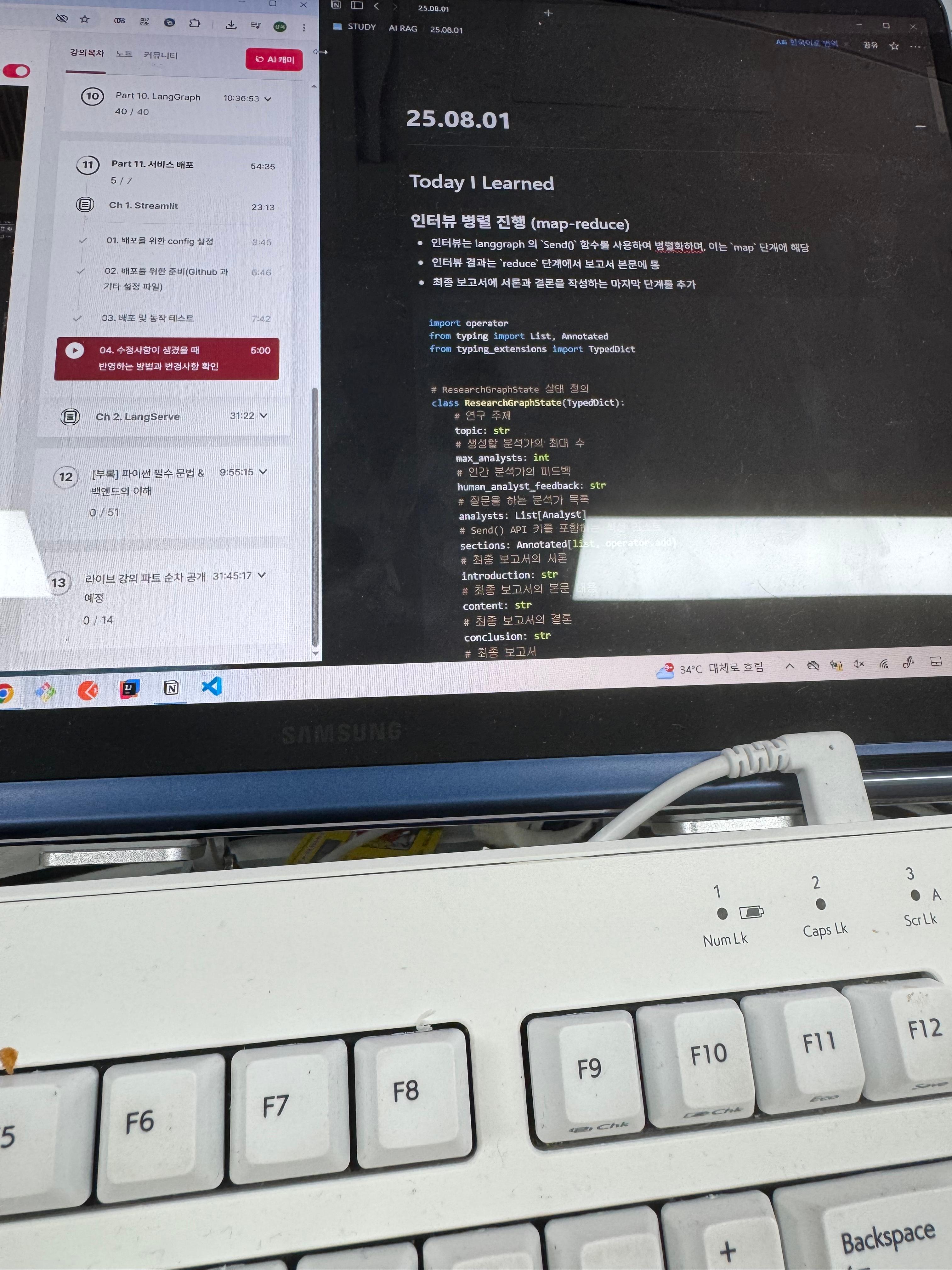
5) 학습통계

Today I Learned
인터뷰 병렬 진행 (map-reduce)
- 인터뷰는 langgraph 의 Send() 함수를 사용하여 병렬화하며, 이는 map 단계에 해당
- 인터뷰 결과는 reduce 단계에서 보고서 본문에 통
- 최종 보고서에 서론과 결론을 작성하는 마지막 단계를 추가
import operator
from typing import List, Annotated
from typing_extensions import TypedDict

# ResearchGraphState 상태 정의
class ResearchGraphState(TypedDict):
    # 연구 주제
    topic: str
    # 생성할 분석가의 최대 수
    max_analysts: int
    # 인간 분석가의 피드백
    human_analyst_feedback: str
    # 질문을 하는 분석가 목록
    analysts: List[Analyst]
    # Send() API 키를 포함하는 섹션 리스트
    sections: Annotated[list, operator.add]
    # 최종 보고서의 서론
    introduction: str
    # 최종 보고서의 본문 내용
    content: str
    # 최종 보고서의 결론
    conclusion: str
    # 최종 보고서
    final_report: str

from langgraph.constants import Send

# 모든 인터뷰를 시작
def initiate_all_interviews(state: ResearchGraphState):
    # 사람의 피드백 확인
    human_analyst_feedback = state.get("human_analyst_feedback")

    # 만약, 사람의 피드백이 있으면 분석가 생성으로 돌아가기
    if human_analyst_feedback:
        return "create_analysts"

    # 그렇지 않으면 Send() 함수를 통해 인터뷰 병렬로 시작
    else:
        topic = state["topic"]
        return [
            Send(
                "conduct_interview",
                {
                    "analyst": analyst,
                    "messages": [
                        HumanMessage(
                            content=f"So you said you were writing an article on {topic}?"
                        )
                    ],
                },
            )
            for analyst in state["analysts"]
        ]
보고서 작성 정의
# 보고서 작성 지시사항
report_writer_instructions = """You are a technical writer creating a report on this overall topic:

{topic}

You have a team of analysts. Each analyst has done two things:

1. They conducted an interview with an expert on a specific sub-topic.
2. They write up their finding into a memo.

Your task:

1. You will be given a collection of memos from your analysts.
2. Carefully review and analyze the insights from each memo.
3. Consolidate these insights into a detailed and comprehensive summary that integrates the central ideas from all the memos.
4. Organize the key points from each memo into the appropriate sections provided below, ensuring that each section is logical and well-structured.
5. Include all required sections in your report, using `### Section Name` as the header for each.
6. Aim for approximately 250 words per section, providing in-depth explanations, context, and supporting details.

**Sections to consider (including optional ones for greater depth):**

- **Background**: Theoretical foundations, key concepts, and preliminary information necessary to understand the methodology and results.
- **Related Work**: Overview of prior studies and how they compare or relate to the current research.
- **Problem Definition**: A formal and precise definition of the research question or problem the paper aims to address.
- **Methodology (or Methods)**: Detailed description of the methods, algorithms, models, data collection processes, or experimental setups used in the study.
- **Implementation Details**: Practical details of how the methods or models were implemented, including software frameworks, computational resources, or parameter settings.
- **Experiments**: Explanation of experimental protocols, datasets, evaluation metrics, procedures, and configurations employed to validate the methods.
- **Results**: Presentation of experimental outcomes, often with statistical tables, graphs, figures, or qualitative analyses.

To format your report:

1. Use markdown formatting.
2. Include no pre-amble for the report.
3. Use no sub-heading.
4. Start your report with a single title header: ## Insights
5. Do not mention any analyst names in your report.
6. Preserve any citations in the memos, which will be annotated in brackets, for example [1] or [2].
7. Create a final, consolidated list of sources and add to a Sources section with the `## Sources` header.
8. List your sources in order and do not repeat.

[1] Source 1
[2] Source 2

Here are the memos from your analysts to build your report from:

{context}"""

# 보고서 작성 함수 정의
def write_report(state: ResearchGraphState):
    # 모든 섹션 가져오기
    sections = state["sections"]
    topic = state["topic"]

    # 모든 섹션을 하나의 문자열로 연결
    formatted_str_sections = "\\n\\n".join([f"{section}" for section in sections])

    # 섹션을 요약하여 최종 보고서 작성
    system_message = report_writer_instructions.format(
        topic=topic, context=formatted_str_sections
    )
    report = llm.invoke(
        [SystemMessage(content=system_message)]
        + [HumanMessage(content=f"Write a report based upon these memos.")]
    )
    return {"content": report.content}

# 서론과 결론 작성 지시사항
intro_conclusion_instructions = """You are a technical writer finishing a report on {topic}

You will be given all of the sections of the report.

You job is to write a crisp and compelling introduction or conclusion section.

The user will instruct you whether to write the introduction or conclusion.

Include no pre-amble for either section.

Target around 200 words, crisply previewing (for introduction),  or recapping (for conclusion) all of the sections of the report.

Use markdown formatting.

For your introduction, create a compelling title and use the # header for the title.

For your introduction, use ## Introduction as the section header.

For your conclusion, use ## Conclusion as the section header.

Here are the sections to reflect on for writing: {formatted_str_sections}"""

# 서론 작성 함수 정의
def write_introduction(state: ResearchGraphState):
    # 모든 섹션 가져오기
    sections = state["sections"]
    topic = state["topic"]

    # 모든 섹션을 하나의 문자열로 연결
    formatted_str_sections = "\\n\\n".join([f"{section}" for section in sections])

    # 섹션을 요약하여 서론 작성
    instructions = intro_conclusion_instructions.format(
        topic=topic, formatted_str_sections=formatted_str_sections
    )
    intro = llm.invoke(
        [instructions] + [HumanMessage(content=f"Write the report introduction")]
    )
    return {"introduction": intro.content}

# 결론 작성 함수 정의
def write_conclusion(state: ResearchGraphState):
    # 모든 섹션 가져오기
    sections = state["sections"]
    topic = state["topic"]

    # 모든 섹션을 하나의 문자열로 연결
    formatted_str_sections = "\\n\\n".join([f"{section}" for section in sections])

    # 섹션을 요약하여 결론 작성
    instructions = intro_conclusion_instructions.format(
        topic=topic, formatted_str_sections=formatted_str_sections
    )
    conclusion = llm.invoke(
        [instructions] + [HumanMessage(content=f"Write the report conclusion")]
    )
    return {"conclusion": conclusion.content}

# 최종 보고서 작성 함수 정의
def finalize_report(state: ResearchGraphState):
    # 모든 섹션을 모아 최종 보고서 작성
    content = state["content"]
    if content.startswith("## Insights"):
        content = content.strip("## Insights")
    if "## Sources" in content:
        try:
            content, sources = content.split("\\n## Sources\\n")
        except:
            sources = None
    else:
        sources = None

    final_report = (
        state["introduction"]
        + "\\n\\n---\\n\\n## Main Idea\\n\\n"
        + content
        + "\\n\\n---\\n\\n"
        + state["conclusion"]
    )
    if sources is not None:
        final_report += "\\n\\n## Sources\\n" + sources
    return {"final_report": final_report}
그래프 정의, 실행
from langgraph.graph import StateGraph
from langgraph.checkpoint.memory import MemorySaver
from langgraph.constants import START, END
from langchain_teddynote.graphs import visualize_graph

# 그래프 생성
builder = StateGraph(ResearchGraphState)

# 노드 정의
builder.add_node("create_analysts", create_analysts)
builder.add_node("human_feedback", human_feedback)
builder.add_node("conduct_interview", interview_builder.compile())
builder.add_node("write_report", write_report)
builder.add_node("write_introduction", write_introduction)
builder.add_node("write_conclusion", write_conclusion)
builder.add_node("finalize_report", finalize_report)

# 엣지 정의
builder.add_edge(START, "create_analysts")
builder.add_edge("create_analysts", "human_feedback")
builder.add_conditional_edges(
    "human_feedback", initiate_all_interviews, ["create_analysts", "conduct_interview"]
)

# 인터뷰 결과 보고서 작성
builder.add_edge("conduct_interview", "write_report")
builder.add_edge("conduct_interview", "write_introduction")
builder.add_edge("conduct_interview", "write_conclusion")

# 보고서 최종 정리
builder.add_edge(
    ["write_conclusion", "write_report", "write_introduction"], "finalize_report"
)
builder.add_edge("finalize_report", END)

# 컴파일
memory = MemorySaver()
graph = builder.compile(interrupt_before=["human_feedback"], checkpointer=memory)

visualize_graph(graph)

# 입력 데이터 설정
max_analysts = 3
topic = "Explain how Modular RAG differs from traditional Naive RAG and the benefits of using it at the production level."

# config 설정
config = RunnableConfig(
    recursion_limit=30,
    configurable={"thread_id": random_uuid()},
)

# 입력 데이터 설정
inputs = {"topic": topic, "max_analysts": max_analysts}

# 그래프 실행: 첫 번째 중단 지점까지
invoke_graph(graph, inputs, config)

# 새로운 분석가 추가
graph.update_state(
    config,
    {"human_analyst_feedback": "Add Prof. Jeffrey Hinton as a head of AI analyst"},
    as_node="human_feedback",
)

# 그래프 실행
invoke_graph(graph, None, config)

# 그래프 재개
graph.update_state(config, {"human_analyst_feedback": None}, as_node="human_feedback")

# 그래프 실행
invoke_graph(graph, None, config)

print(report)

from IPython.display import Markdown

# 그래프의 최종 상태 가져오기
final_state = graph.get_state(config)

# 최종 보고서 가져오기
report = final_state.values.get("final_report")

# 마크다운 형식으로 최종 보고서 출력
display(Markdown(report))
'Lecture > 패스트캠퍼스' 카테고리의 다른 글
| 패스트캠퍼스 환급챌린지 34일차 : 테디노트의 RAG 비법노트 강의 후기 (1) | 2025.08.03 |
|---|---|
| 패스트캠퍼스 환급챌린지 33일차 : 테디노트의 RAG 비법노트 강의 후기 (0) | 2025.08.02 |
| 패스트캠퍼스 환급챌린지 31일차 : 테디노트의 RAG 비법노트 강의 후기 (2) | 2025.07.31 |
| 패스트캠퍼스 환급챌린지 30일차 : 테디노트의 RAG 비법노트 강의 후기 (3) | 2025.07.30 |
| 패스트캠퍼스 환급챌린지 29일차 : 테디노트의 RAG 비법노트 강의 후기 (3) | 2025.07.29 |
'Lecture/패스트캠퍼스' Related Articles
more


Comments